The first AI policy in a small business should answer the questions people face this week: Can I paste a customer email into this tool? May I send the suggested answer? Who checks a quote? What happens when the tool gets a fact wrong? A long document that nobody can use at the point of work will not answer them.
Start from tasks and data
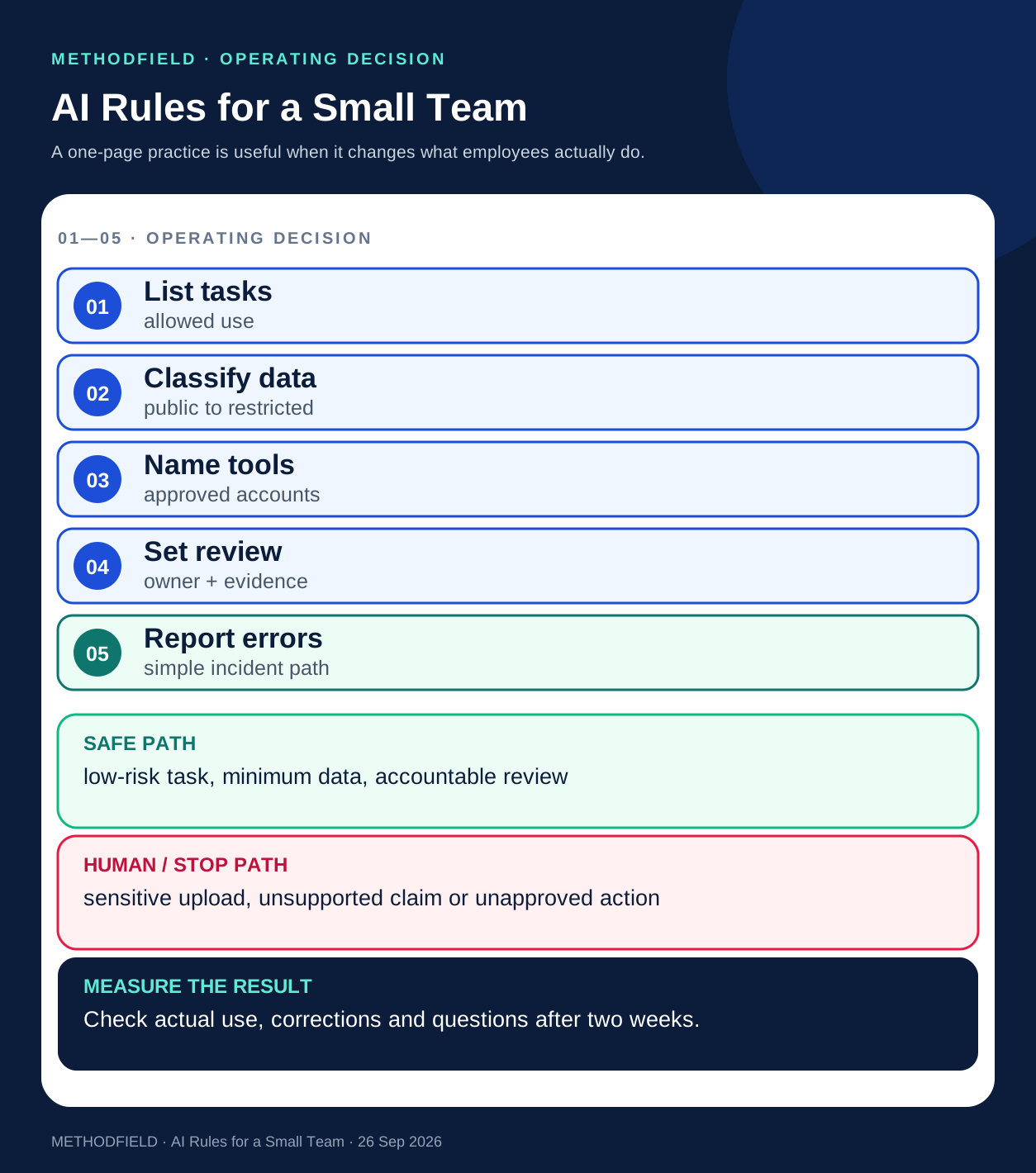
List the three or four uses already happening: draft a reply, summarise a meeting, search internal guidance or classify incoming requests. For each, write what data is required, which tool and account are approved, and what result a person must check. Sort data into a few practical classes: public, ordinary internal, customer or commercially sensitive, and restricted. The exact classes should match the business's existing policy; their purpose is to make the next action clear.
For example, a marketing assistant may use public product descriptions to draft a page. A support employee handling a named customer's complaint needs an approved service tool and access to the current policy. A personal AI account should not become an informal archive of customer records. Minimise the data sent for the task and follow the organisation's retention rules.
Put a person at the right decision
Define the difference between preparation and commitment. AI may suggest wording, extract fields or surface a source. The employee checks customer-facing facts, prices, dates, policy claims and sensitive recommendations against an authoritative record before sending. Actions that change an account, issue a refund, promise a delivery date or publish a claim require the named role that already has that authority.
The policy also needs a fast route for errors. An employee should know whom to notify if the tool exposed data, produced a harmful instruction, invented a source or acted outside its permission. Reporting should lead to a corrected workflow, not only an instruction to “be more careful.”
A one-page working rule
Write one row per task with five fields: allowed input, approved tool, AI's permitted output, required human check and escalation owner. Add three concrete examples: a permitted low-risk draft, a case requiring review, and a case that must stop. Place the rule where the work happens, such as the service desk or CRM guidance, and give a real owner the job of keeping it current.
Train with recent sanitised examples rather than abstract prompt tips. Ask each employee to find one unsupported claim, one missing fact and one action the model has no authority to take. Two weeks later, review the questions and corrections. Revise the rule where normal work proves it unclear.
OECD's 2026 SME survey (opens in a new tab) finds adoption rising while targeted, secure integration remains uneven; its sample of more than 2,000 firms across 12 countries is not representative. A 2026 U.S. Chamber survey (opens in a new tab) reports privacy, applicability and skills concerns among small-business workers in the United States. These findings support practical guidance, but the rule above is a Methodfield editorial framework for a particular team's decision—not a universal compliance certificate. The existing AI ownership guide explains responsibilities after a system launches; this article focuses on employees' daily use.
Working artifact: a one-page AI-use register
Keep the register where staff actually work. One row is enough for each approved task; an owner updates it when a tool, dataset or decision boundary changes.
| Field | Example of a useful answer |
|---|---|
| Task and input | Draft a product description from public catalogue facts |
| Tool and account | Named approved workspace account, not a personal login |
| Data limit | No named customer record or confidential price list in this task |
| Human check | Product owner verifies specification and claim before publication |
| Error route | Stop the send, preserve the draft and notify the named owner |
Include a date for review and an easy way for employees to ask whether an unlisted task is allowed. Silence is a weak control: people will still need to finish the work, often with whichever tool is at hand.